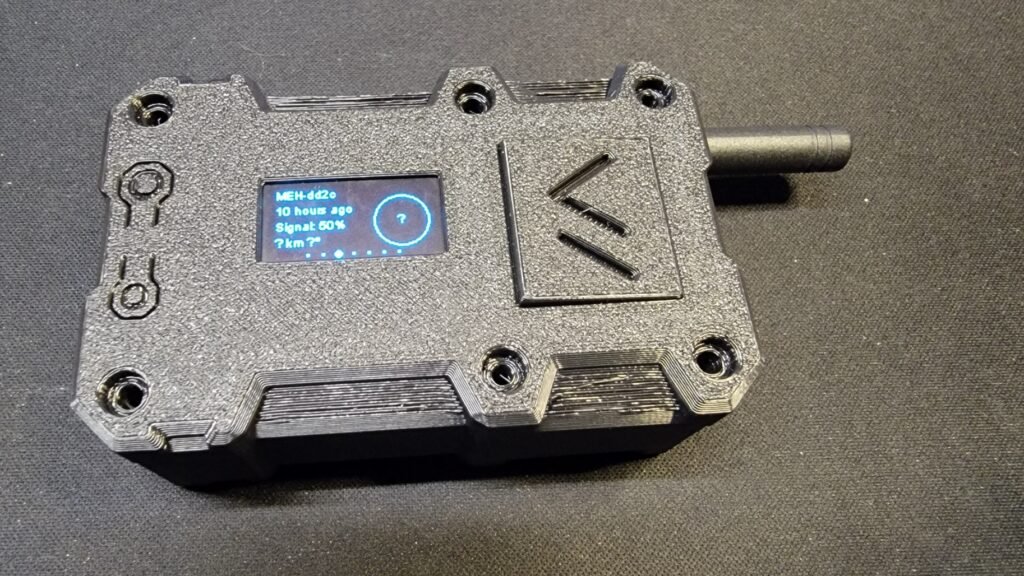
If you’ve ever wondered how people are sending messages without cell service, Wi-Fi, or the internet, Meshtastic is probably the answer.
Meshtastic is an open-source, low-power messaging system that uses LoRa radio to create decentralized mesh networks. No towers. No subscriptions. Just small radio devices quietly passing messages from one node to the next.
For radio hobbyists, makers, hikers, preppers, and anyone interested in resilient communications, Meshtastic is one of the most approachable off-grid technologies available today.
What Is Meshtastic (Without the Buzzwords)
At its core, Meshtastic lets you send short text messages using LoRa (Long Range) radio. Each device—called a node—can:
- Send and receive encrypted messages
- Relay messages for other nodes
- Share GPS location data
- Run for days or weeks on battery power
Instead of connecting to a tower, nodes talk directly to each other. The more nodes that exist in an area, the stronger and more reliable the network becomes.
Think of it as SMS, but community-powered and infrastructure-free.
Why People Are Using Meshtastic
Meshtastic didn’t come from a single use case—it grew because it solves real problems.
People use it for:
- Emergency and disaster communications
- Hiking, camping, and overlanding
- Neighborhood or community mesh networks
- Events and festivals
- Amateur radio experimentation
- Backup communications when networks go down
What makes it appealing is how little infrastructure it needs. A handful of small devices can cover an entire town if they’re placed well.
What You Need to Get Started
You don’t need much, and that’s part of the appeal.
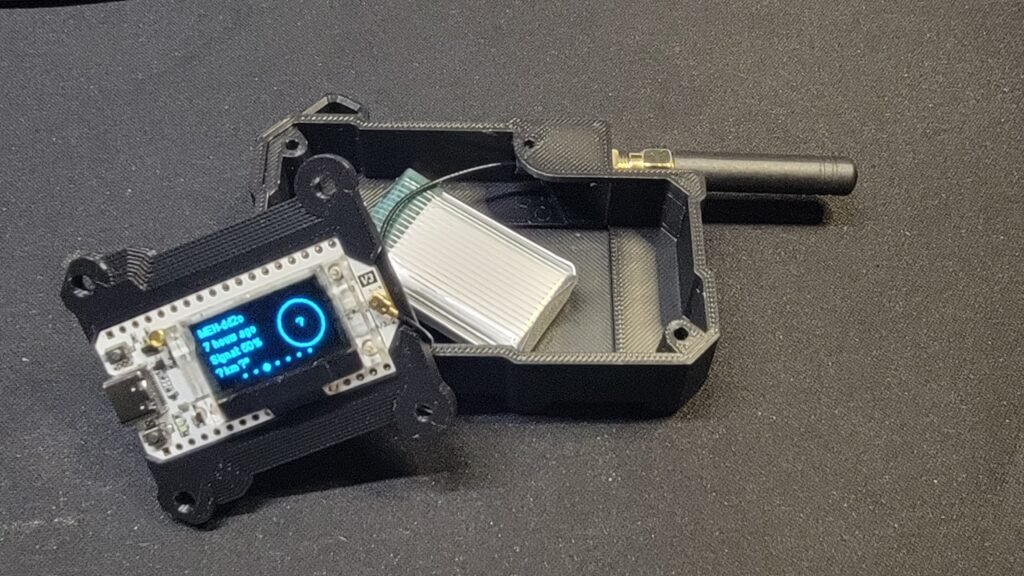
1) A Compatible LoRa Device
Some of the most popular starter boards are:
- Heltec V3 (excellent value and very common)
- LILYGO T-Beam (includes GPS)
- RAK WisBlock (modular and expandable)
2) A Phone or Computer
Meshtastic is controlled through an app, available on:
- Android
- iOS
- Windows
- macOS
- Linux
Most users connect via Bluetooth, though USB and Wi-Fi are also options depending on the hardware.
3) An Antenna (Don’t Skip This)
Most boards ship with a basic antenna, which works—but upgrading makes a big difference.
Typical real-world range:
- Urban: ~0.5–2 miles
- Suburban: ~2–5 miles
- Rural / elevated: 10+ miles is common
Height and antenna quality matter far more than raw transmit power.
Initial Setup: From Box to First Message
The first-time setup is refreshingly simple.
Step 1: Flash the Firmware
- Connect the device to your computer with USB
- Use the official Meshtastic web flasher
- Select your board and flash
No command line, no SDK installs.
Step 2: Install the App
- Install the Meshtastic app on your phone
- Enable Bluetooth
- Pair with your node
Once paired, you’ll immediately see device status and messages.
Step 3: Basic Configuration
Inside the app, set:
- A device name (callsign-style names work well)
- Your region (important for legal frequencies)
- Optional power and role settings
At this point, your node is live and participating in the mesh.
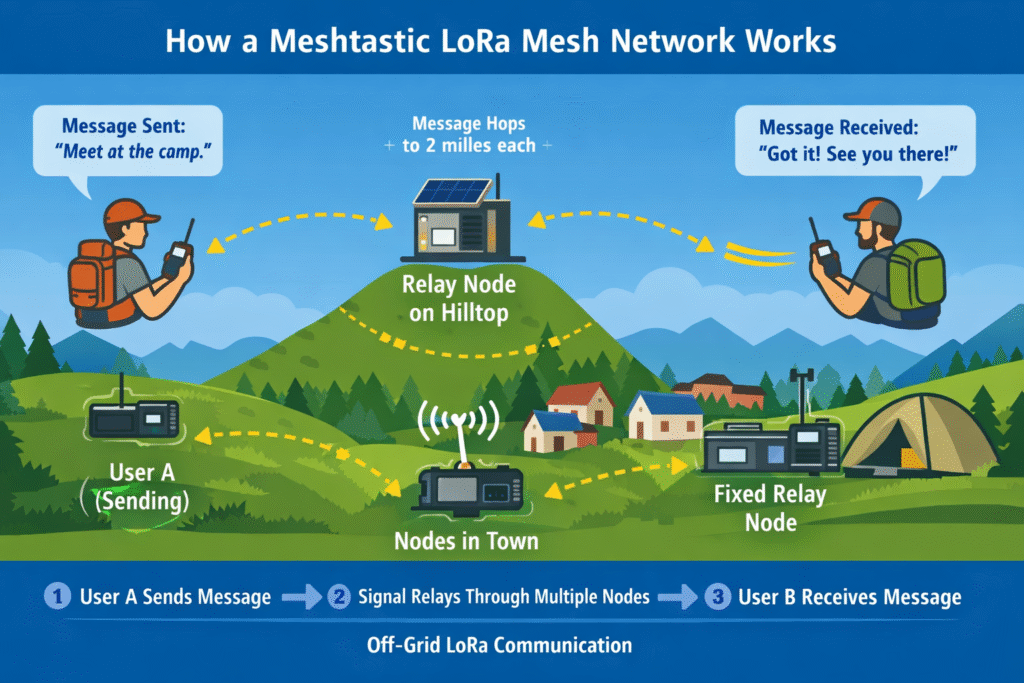
Messages don’t go directly from sender to receiver unless they’re close. Instead:
- A node broadcasts a message
- Nearby nodes receive it
- Those nodes relay it onward
- The message hops through the network until it arrives
Nodes automatically decide the best path, and the system adapts as devices come and go.
Key Settings Worth Understanding
You can leave most defaults alone, but these matter:
- Region: Sets frequency and power limits
- Channel: Like a group chat; only matching channels can talk
- Encryption: Enabled by default (and should stay that way)
- Power Level: Higher power = longer range, more battery use
Tips for Better Coverage
Small tweaks make a huge difference:
- Get antennas higher, even a few feet helps
- Place nodes near windows instead of interior walls
- Use fixed nodes as relays and portable nodes for messaging
- Avoid concrete, metal siding, and basements
One well-placed relay node can outperform several poorly placed ones.
Common First Projects
Most people naturally progress like this:
- Two nodes at home for testing
- One portable node for a bag or vehicle
- One fixed node acting as a relay
From there, it’s easy to go deeper:
- Solar-powered nodes
- Rooftop or mast-mounted relays
- GPS tracking
- Integration with home servers or dashboards
What Does It Cost?
A realistic starter setup:
| Item | Cost |
|---|---|
| LoRa board | $25–$40 |
| Better antenna | $10–$20 |
| Case (optional) | $5–$15 |
| Total | $40–$70 |
That’s it—no monthly fees, no subscriptions.
Do You Need a License?
In the U.S. and many other countries:
- Meshtastic operates on license-free ISM bands
- No ham radio license is required for standard use
Advanced or experimental configurations may fall under amateur radio rules, so always verify your regional regulations.
Final Thoughts
Meshtastic hits a rare sweet spot:
cheap, useful, fun, and genuinely practical.
You can be up and running in under an hour, yet still find yourself months later building solar relays, testing antennas, and mapping coverage.
If you enjoy radio, DIY electronics, or just the idea of communication that doesn’t depend on someone else’s infrastructure, Meshtastic is absolutely worth your time.
What’s Next?
Future posts on this site will cover:
- Choosing the best starter hardware
- Antenna upgrades that actually work
- Fixed vs portable node setups
- Solar relay builds
- Real-world range testing
If you’re just getting started, build one node, send your first message, and let curiosity take over.
0 Comments